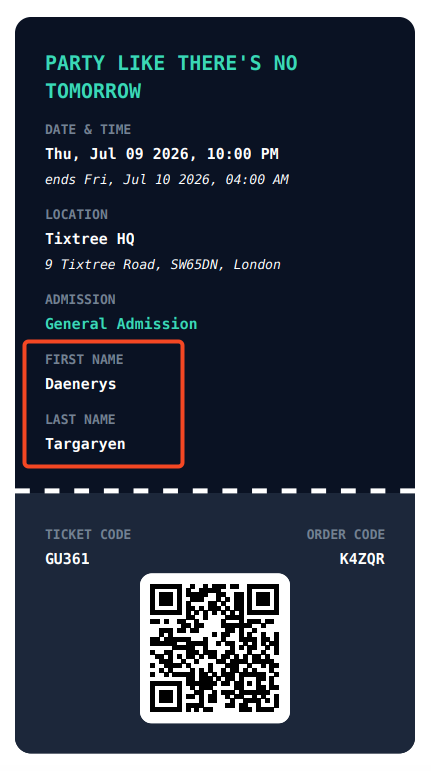
🎟️ How to show custom questions on attendee tickets
Sometimes you may want important attendee details, such as their full name, or add-on information like T-shirt size to appear directly on the ticket. With Tixtree, you can easily choose up to two custom questions to be displayed on each issued ticket.
How to
Step 1
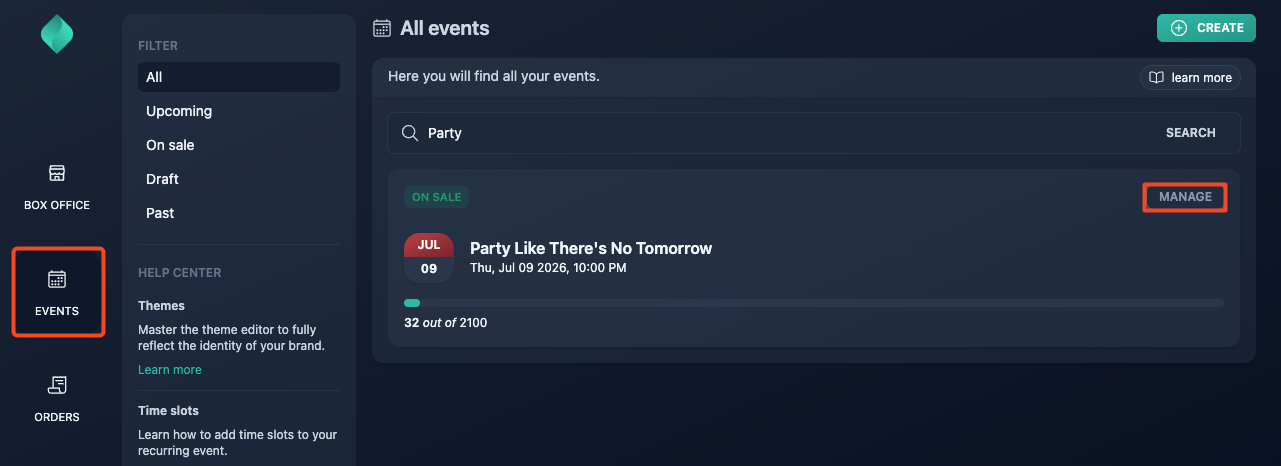
Go to your event overview.
Step 2
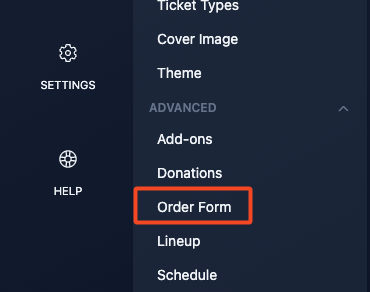
Go to Advanced > Order form
Step 3
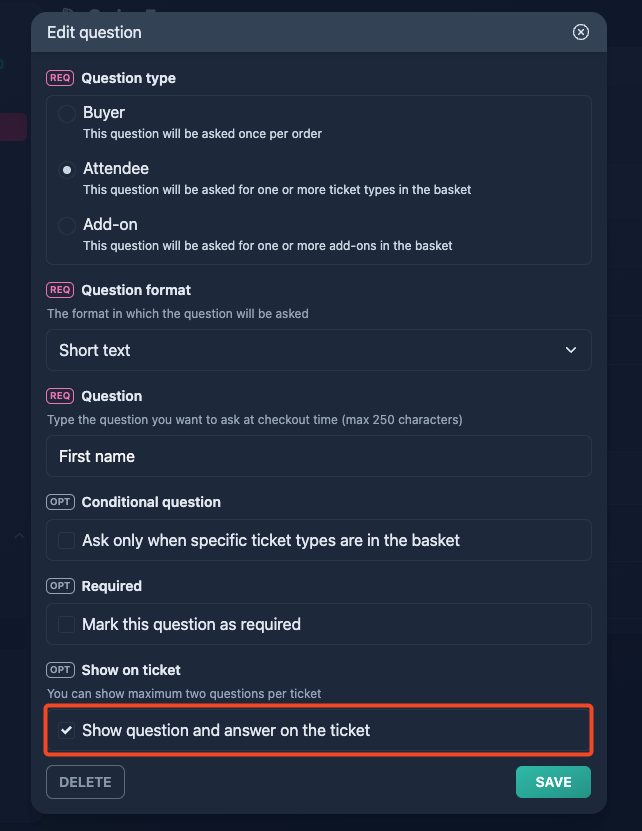
Tick "Show question and answer on the ticket", then click "Save".
This option is available only for questions of type "Attendee" and "Add-on".
Result