
❌ How to cancel an event
If your event is no longer going ahead, you can cancel it. Cancelling an event will stop ticket sales, and you'll be able to cancel or refund all orders in one go.
How to
Step 1
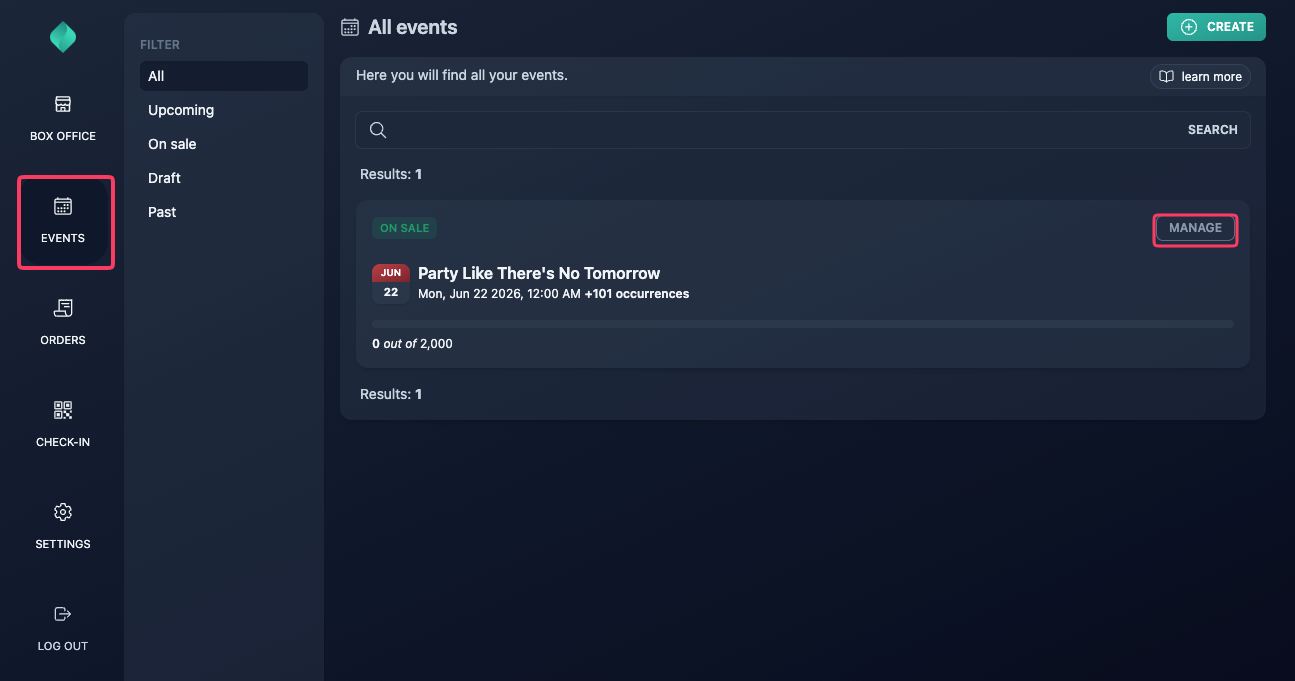
Go to your event overview.
Step 2
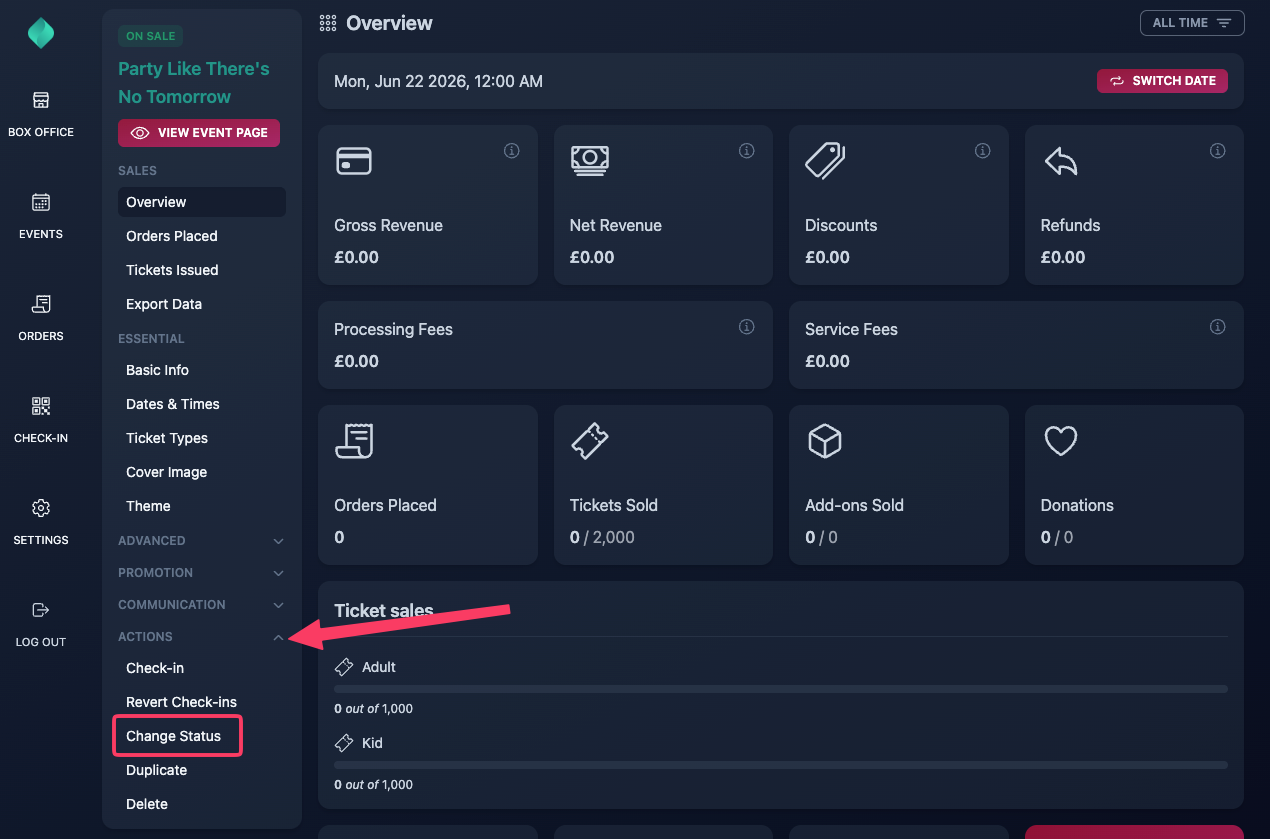
Expand the "Actions" menu, then select "Change status".
Step 3
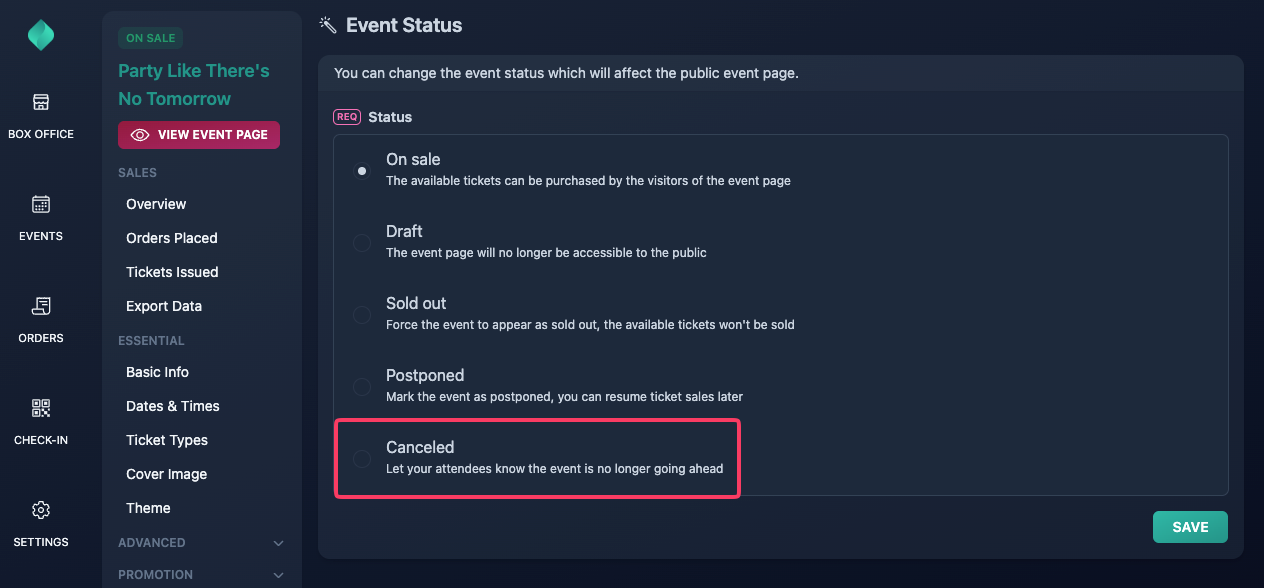
Select "Canceled".
If you're hosting an event series and only need to remove a specific occurrence, don't use this feature. Instead, delete the occurrence from the "Dates & Times" section.
Step 4
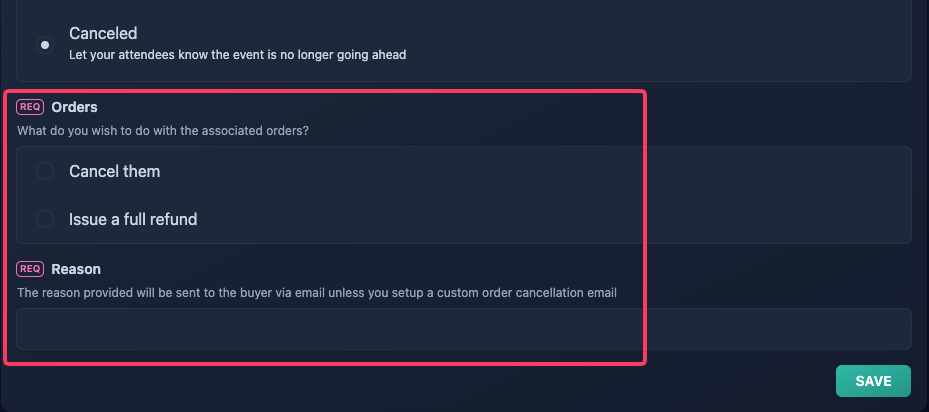
Optionally cancel or refund all orders of the event.
If you're hosting an event series, only orders associated with the occurrence you're currently viewing will be cancelled or refunded.
Step 5
Click "Save".