
👛 What are prepaid credits?
There are times when tickets need to be issued for payments collected outside our platform; for example, cash at the door or sales made through another system. To cover these scenarios, we've introduced prepaid credits.
Plus, with prepaid credits you can massively save on service fees: the more you buy, the more you save!
Each credit lets you:
- issue one admission ticket or
- issue one add-on ticket or
- issue one gift card or
- accept one donation or
- reserve one seat
What you should know:
- credits never expire;
- credits are automatically consumed if your organization does not pass the fees on to the buyer;
- credits are not automatically consumed if your organization pass the fees on to the buyer;
- credits are non refundable;
-
credits are discounted based on the pricing of the "Standard" plan; please note that this discount cannot be combined with the reduced rates offered under the "Impact" plan.
How to purchase prepaid credits
Step 1
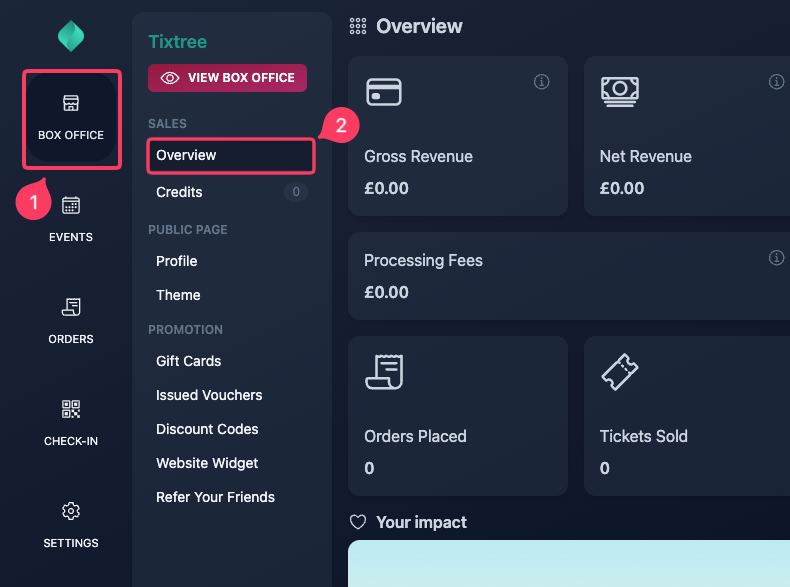
Go to your box office dashboard, then select "Credits" in the sidebar.
Step 2
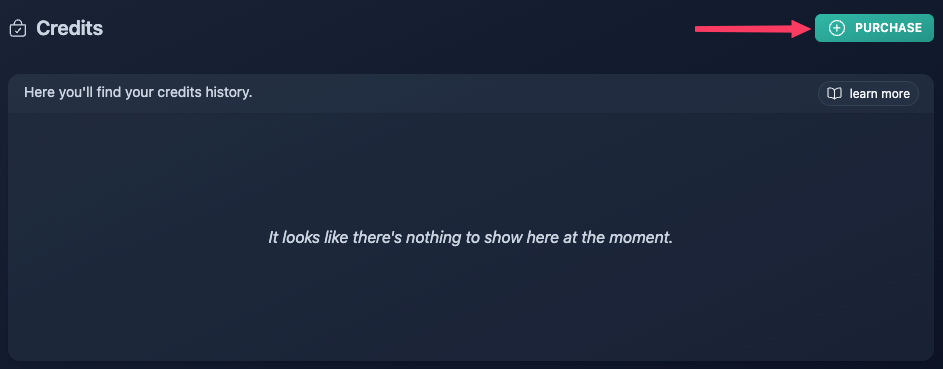
Click "Purchase".
Step 3
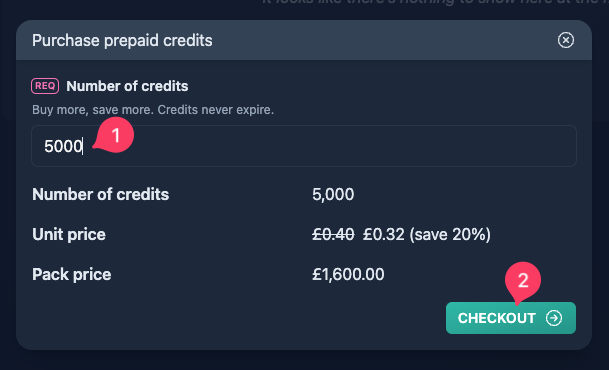
Enter the number of credits you'd like to purchase (minimum: 50).
Based on your selection, we'll apply a volume discount to the unit price helping you reduce overall service fees.
When you're happy with the selection, click "Checkout".
Step 4
Enter you credit card details, then click "Pay Now".
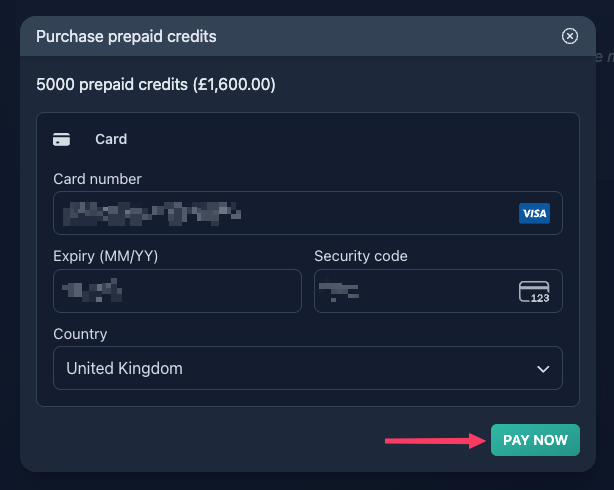
Your credit card details are handled securely. They are transmitted directly to Stripe, our payment processor, and are never stored on our systems.
Step 5
Enjoy your discounted credits!
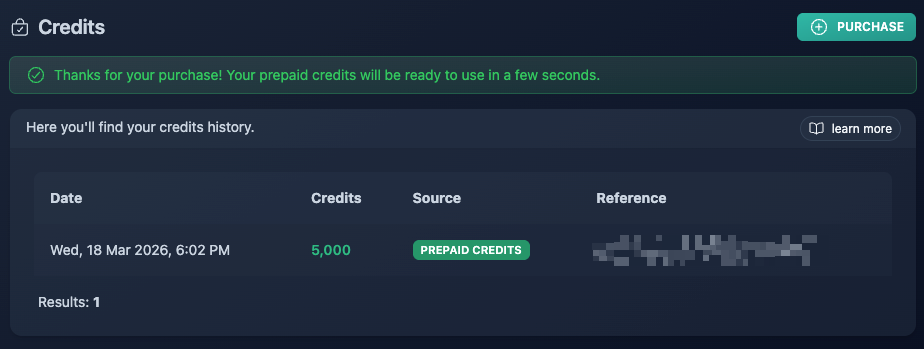
Credits are typically added to your account instantly. If they do not appear right away, please allow a few minutes, as some transactions may take slightly longer to process.