🔎 How to find an order by seat code
When managing seated events, it is often necessary to identify an order based on a specific reserved seat. Whether you are assisting a guest at the venue, verifying access, or resolving a seating question, being able to search by seat code can save valuable time.
How to
Step 1
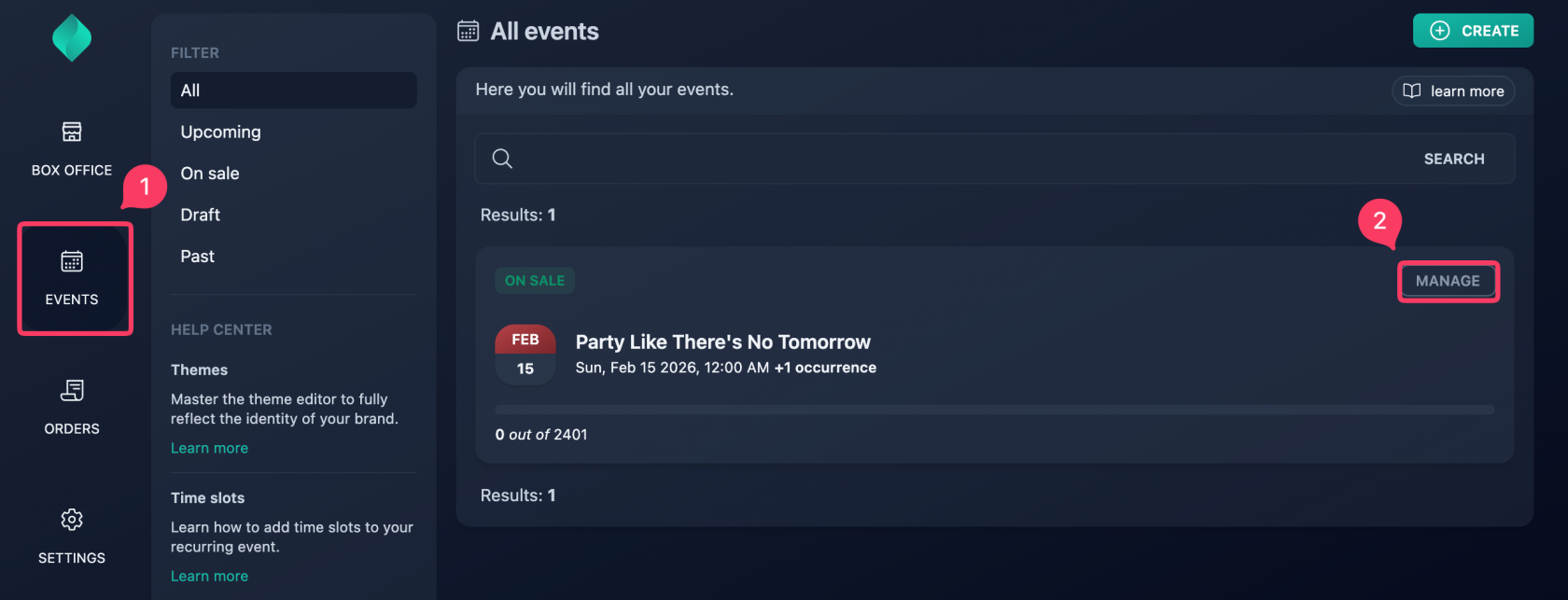
Step 2
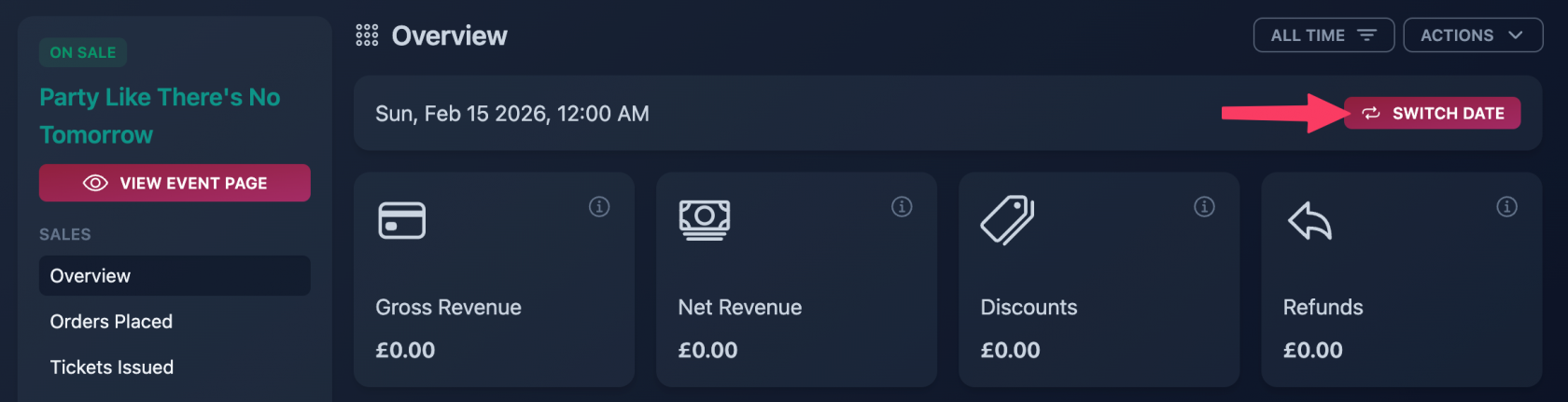
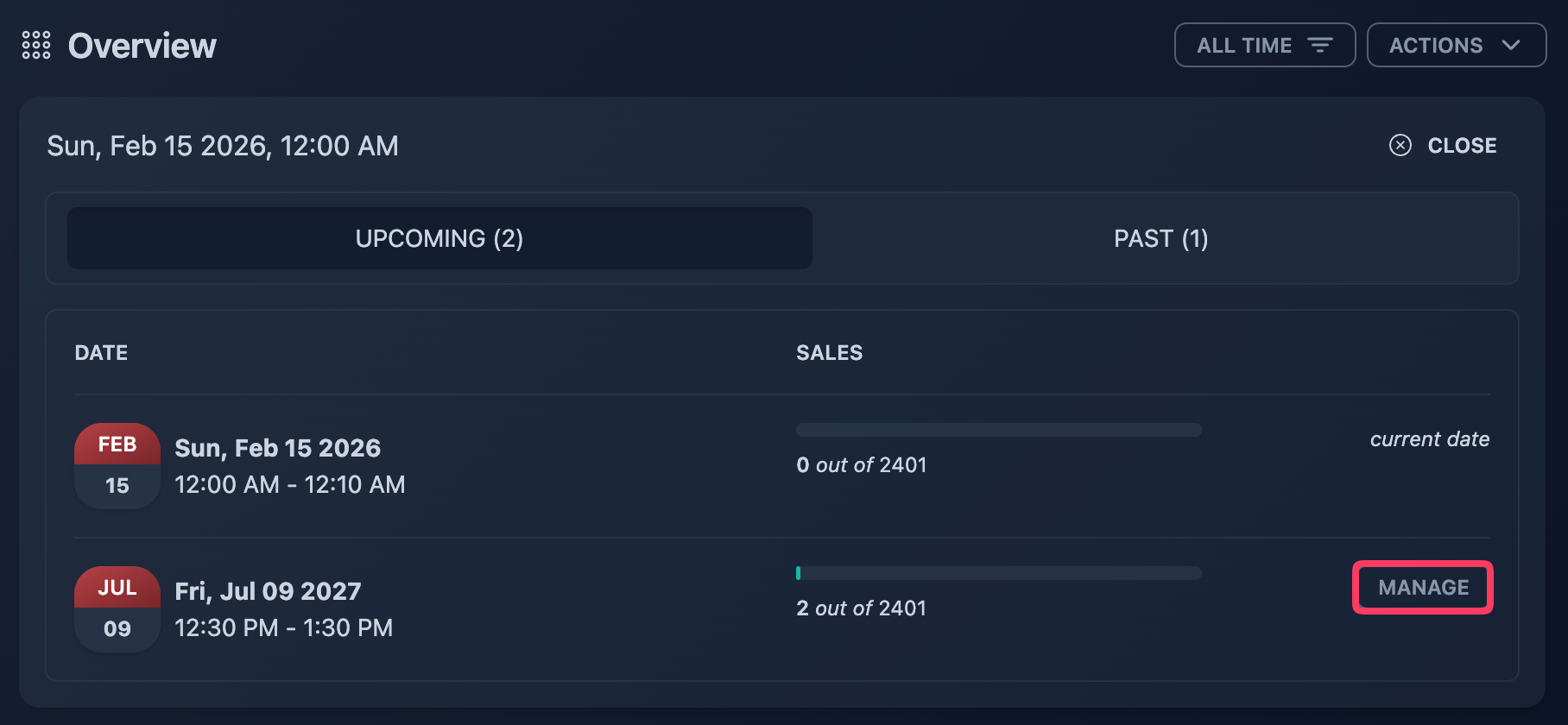
In case of an event series, go to the overview of the specific occurrence.
Step 3
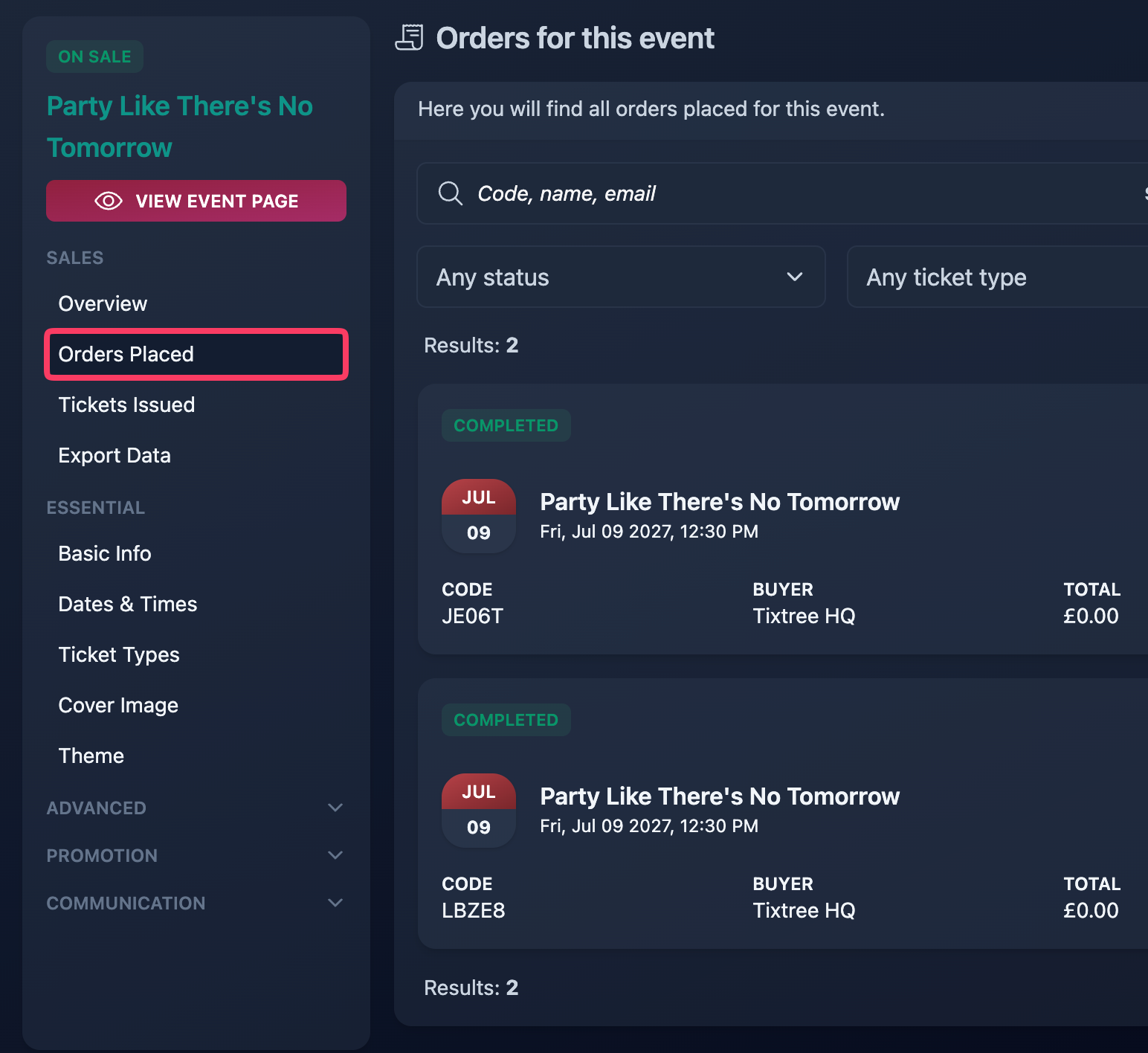
Head to the Orders Placed section.
Step 4
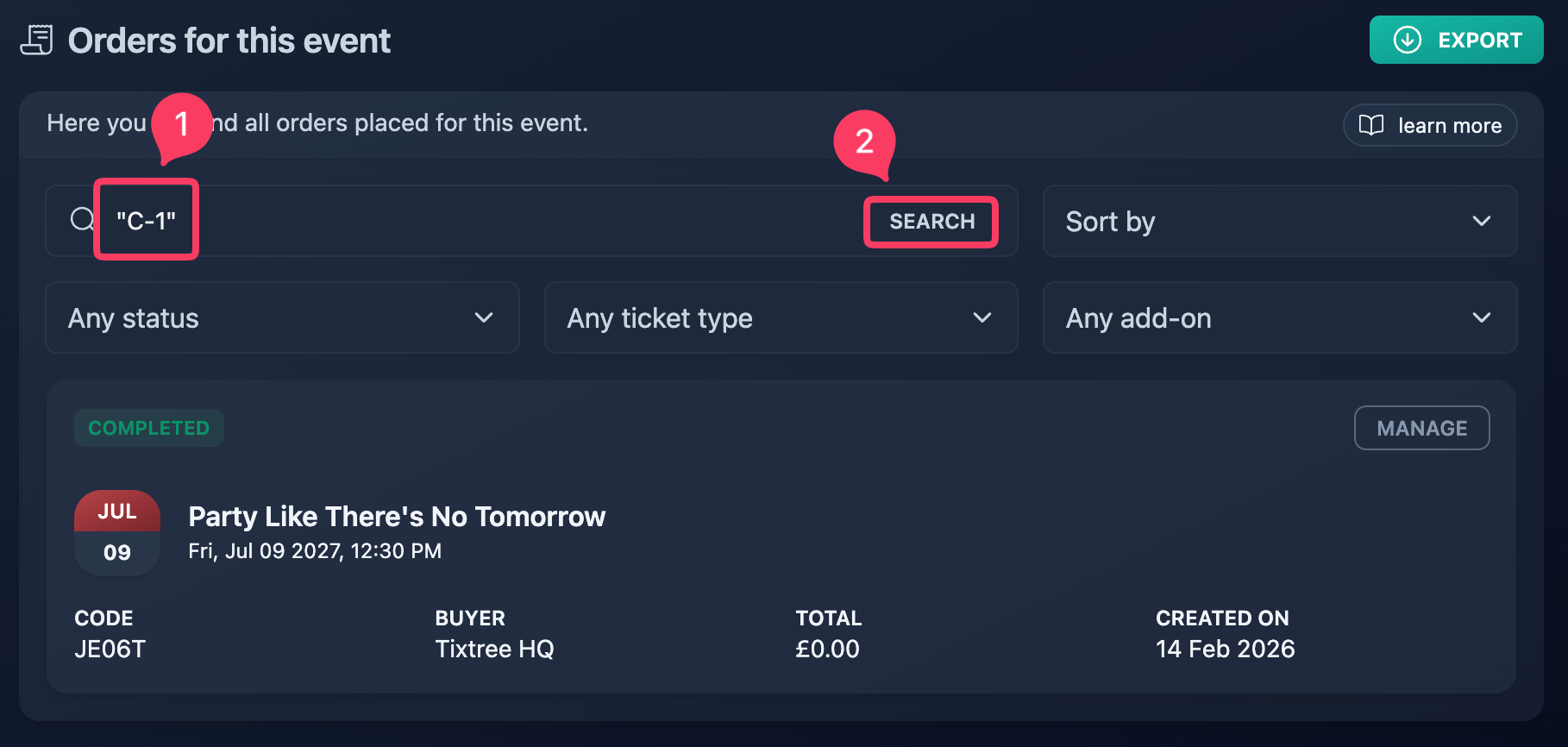
Search for the seat code you want to locate.
For a precise result, make sure to wrap the seat code in double quotes, as shown in the screenshot.
Using quotes ensures the system searches for the exact seat reference. For example, if you search for C-1 without quotes, the results may also include C-10, C-11, C-12, and similar seat codes. Using "C-1" limits the results to that exact seat only.